Account Settings
Manage your profile, subscription, sync, and preferences
The Account page is your central hub for managing everything about your Respiro experience. Sign in with Google, Apple, or email to sync your data across devices. View and edit your profile, manage your Pro subscription, configure reminders, control Cloud Sync settings, retake your lung capacity test, and access help and support — all from one page.
Profile
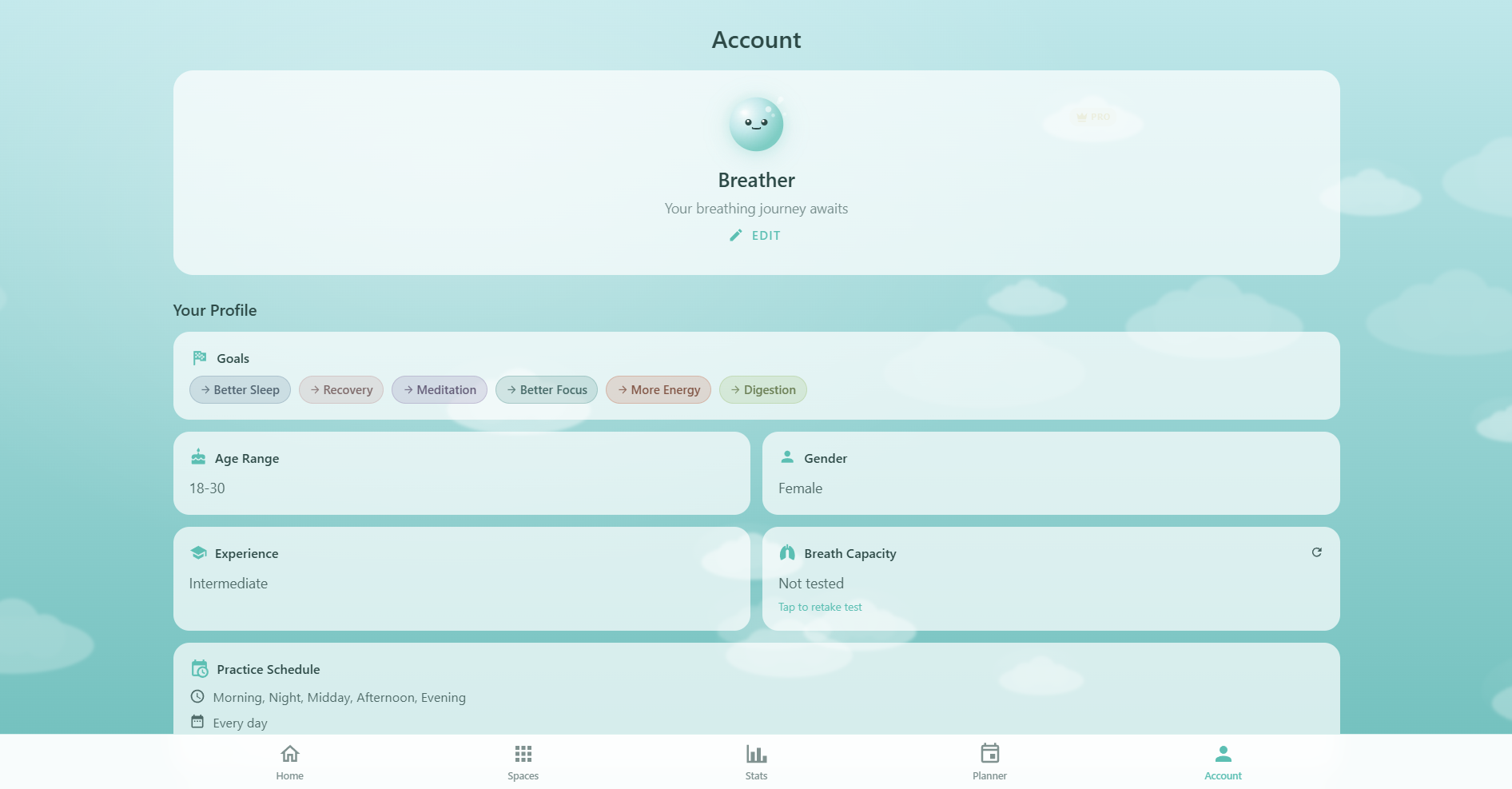
At the top of the Account page, your profile displays:
- Oxy avatar: A small Oxy bubble in calm mood — your personal mascot
- Name & email: Your display name and the email associated with your account. If not signed in, it shows "Your breathing journey awaits"
- Auth provider: An icon showing how you signed in — Google, Apple, or email
- Edit button: Opens the Edit Profile dialog where you can update all your personal information
- Configure Profile: If you haven't completed onboarding, a button appears to launch the onboarding flow and set up your goals, experience level, and practice schedule
Profile Overview
Once you complete onboarding, the profile overview section displays all your personalization data. This is the information Respiro uses to tailor your experience:
- Goals: Your breathing goals displayed as colored chips (e.g. Stress Relief, Better Focus, Sleep). Tap a goal to jump to the matching space
- Health considerations: Any health conditions you've flagged (asthma, anxiety, pregnancy, etc.) that affect which exercises are recommended. Only shown if you've set conditions other than "none"
- Age range & gender: Two small cards side by side showing your demographic info
- Experience & breath capacity: Your experience level (beginner, intermediate, advanced) and your lung capacity test result with level and seconds (e.g. "Strong (18.5s)"). Tap the refresh icon to retake the test
- Practice schedule: Your preferred times (morning, midday, evening), practice days (e.g. Monday to Friday), and sessions per day (e.g. 2x daily)
- Daily routine: Wake time, sleep time, and meal times — used for smart scheduling and time-sensitive recommendations
Sign In
If you're not signed in, an authentication section appears with three options:
- Continue with Google: One-tap sign-in using your Google account
- Continue with Apple: Sign in with your Apple ID (privacy-focused, can hide email)
- Continue with Email: Create an account or sign in with email and password
Creating an account is free and enables Cloud Sync across all your devices. You can use Respiro fully without signing in — your data stays on your device in localStorage.
Plan & Subscription
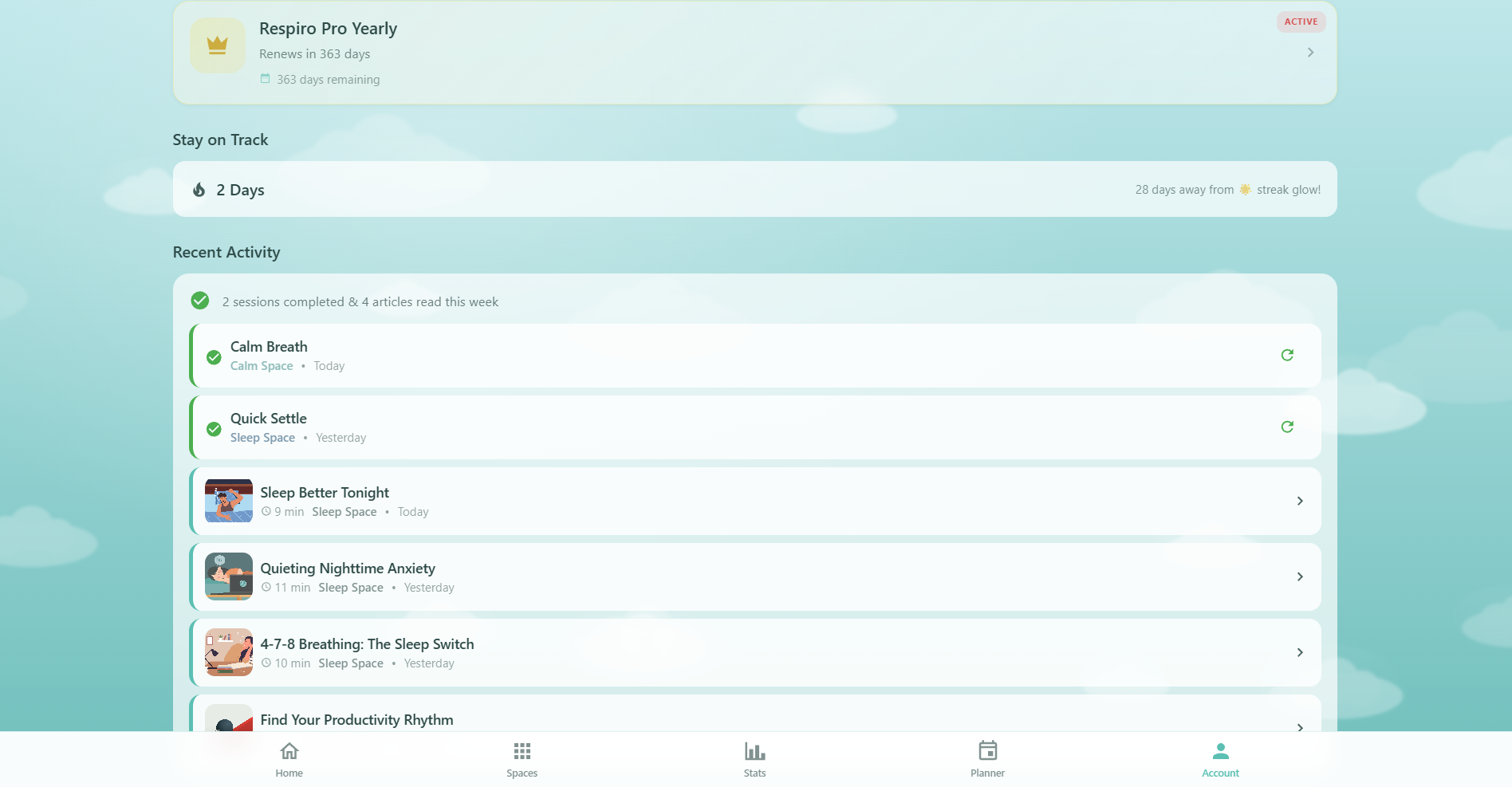
The plan card shows your current subscription status and links to the Upgrade page:
- Free plan: Shows "Free Plan" with a "Tap to upgrade" prompt and an account icon
- Pro plan: Shows "Respiro Pro" (or "Respiro Pro Yearly") with an "Active" badge, crown icon, and days remaining until renewal
- Trial: If on a free trial, shows "Trial ends in X day(s)" with a countdown
Tapping the plan card navigates to the Upgrade page where you can compare plans, start a free trial, or manage your billing through the Stripe Billing Portal.
Stay on Track
Below the plan card, a streak section displays:
- Current streak: Your consecutive days of practice, shown with a fire icon in orange
- Streak goal: A motivational message showing how many days until your next milestone — "X days away from streak glow!" (30-day goal)
Your streak updates automatically when you complete a breathing session. See the full streak history and stats on the Stats page.
Recent Activity
If you've completed sessions or read articles in the last 7 days, a Recent Activity section shows your latest engagement:
- Completed sessions: Each entry shows the template name, space name, and relative date (Today, Yesterday, etc.) with a green check icon. A redo button lets you repeat any session instantly
- Read articles: Each shows the article's featured image, title, read time, and space. Tap to revisit the article
The summary header shows the total count (e.g. "3 sessions completed & 2 articles read this week").
Bookmarked Articles PRO
A horizontal carousel displays your saved articles:
- Pro users: Browse your bookmarks with featured images, category chips, titles, and "Saved X days ago" timestamps. Tap the remove icon to unbookmark. A "See all" link shows your full library
- Free users: An upgrade card appears with a crown icon, "Unlock Article Bookmarks" message, and an "Upgrade to Pro" button
Settings
Two settings rows let you configure notifications:
- Reminders: Toggle daily breathing reminders on or off. When enabled, configure the reminder time, frequency (daily, weekdays, or custom days), and see when the next reminder is scheduled
- Notifications: Shows your current notification frequency (Daily, Weekdays, or Custom)
Cloud Sync
When signed in, the Cloud Sync section gives you granular control over data synchronization. Learn more in the full Cloud Sync guide:
- Master toggle: "Sync Data to Cloud" — enables or disables all syncing at once
- Per-category toggles: Individual switches for Sessions, Challenges, Journal, Bookmarks, and Achievements — each showing the local item count
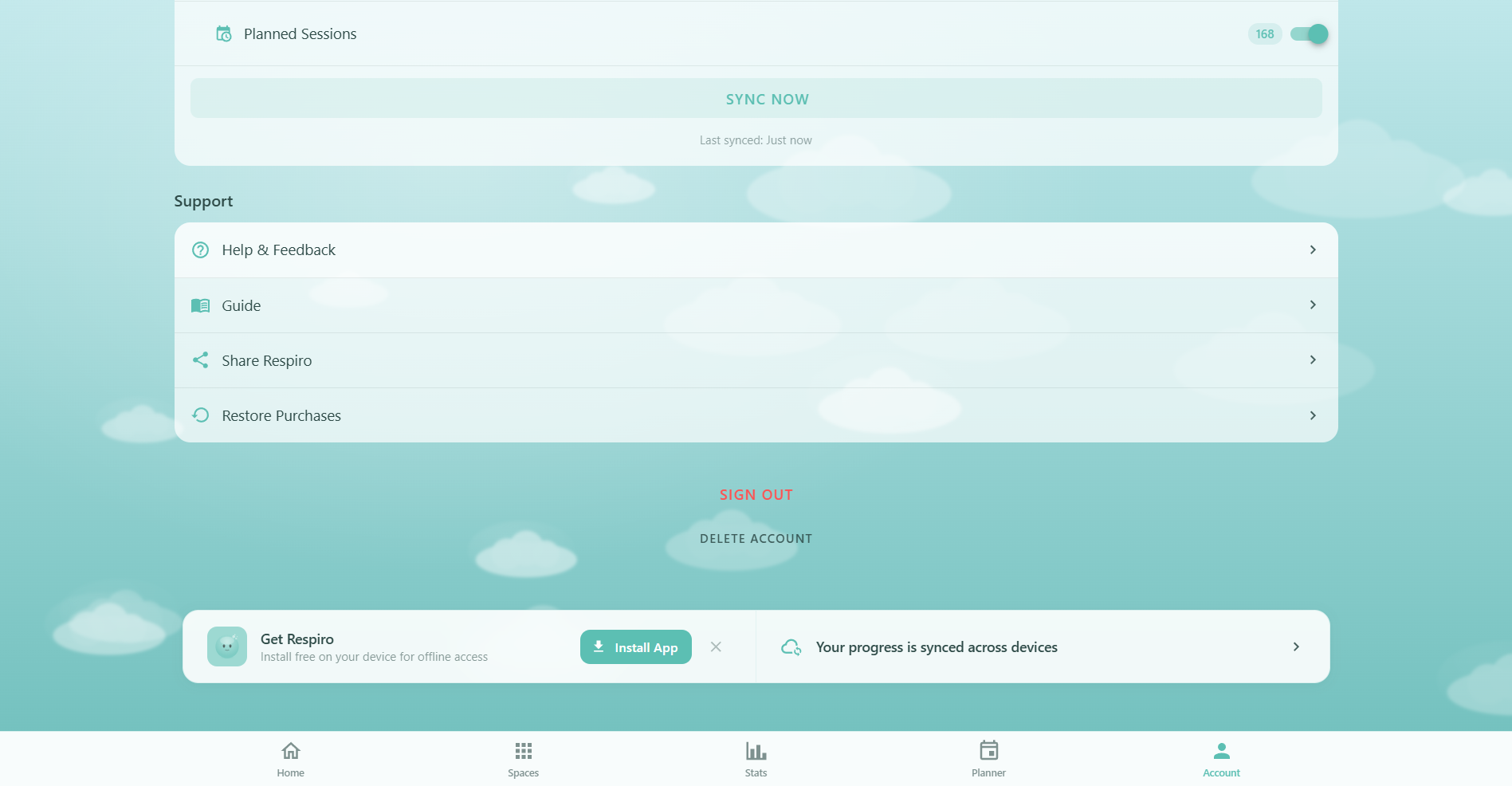
- Sync Now: Force an immediate sync with a progress bar and status message showing "Last synced: X min ago"
Categories are greyed out when the master toggle is off. Turning the master toggle on automatically triggers a full sync.
Support & Help
The support section at the bottom of the Account page provides:
- Help & Feedback: Opens a dialog with contact emails (support@respiro.app, feedback@respiro.app, bugs@respiro.app), 6 frequently asked questions, your submitted feedback history, and app version info
- Guide: Links to the Guide — the documentation hub you're reading now
- Share Respiro: Uses the native share API to share Respiro with friends
- Restore Purchases: Restores your Pro subscription from Stripe if it wasn't detected automatically
Edit Profile Dialog
Tapping "Edit" on the profile opens a comprehensive dialog with 6 sections:
- Account info: Shows your email (read-only), sign-in method, and a "Change Password" button for email accounts
- Basic info: Edit your name, age range, and gender
- Goals: Multi-select your breathing goals (stress relief, focus, sleep, energy, meditation, recovery, confidence, digestion, anxiety, general)
- Experience & health: Set your experience level and flag health considerations (asthma, anxiety, high blood pressure, heart condition, pregnancy, respiratory conditions, allergies)
- Practice schedule: Set preferred times, practice days (toggleable day chips), and sessions per day
- Daily routine: Set wake time, sleep time, and meal times (breakfast, lunch, dinner)
Changes save when you tap "Save Changes". All profile data syncs to the cloud via Cloud Sync.
Lung Capacity Test
Accessible from the profile overview by tapping the refresh icon on your breath capacity card. The test measures how long you can exhale after a deep breath:
- Take a deep breath: Fill your lungs completely
- Hold & exhale: Tap and hold the button while exhaling slowly through your nose
- Release: Let go when you're done exhaling
- View your result: See your time (to 0.1s precision) and level — Building (<8s), Developing (8-11s), Strong (12-17s), or Advanced (18s+)
Oxy animates during the test: encouraging mood while waiting, then focused mood that scales down as you exhale. You can retry or save the result to your profile.
Sign Out & Delete Account
At the bottom of the Account page (when signed in):
- Sign Out: Signs you out and clears all local data (localStorage keys prefixed with
respiro-). Your cloud data is safe in Firestore and will sync back when you sign in again - Delete Account: Permanently removes your account and all cloud data. Requires typing your exact email address to confirm. If you have a Pro subscription, it will be canceled. This action cannot be undone