Cloud Sync
Keep your breathing data safe and accessible across all your devices
Cloud Sync keeps your entire Respiro experience — sessions, streaks, achievements, journal, planner, bookmarks, favorites, and more — synchronized in real time across all your devices. It's built on an offline-first architecture: your data lives locally first and syncs to the cloud when you're signed in, with smart merge to resolve conflicts automatically.
How It Works
Cloud Sync uses Firebase Firestore for real-time bi-directional synchronization. The system is designed to be invisible — it runs automatically in the background whenever you're signed in:
- Offline-first: All data is saved to localStorage immediately. The app works fully without an internet connection
- Real-time subscriptions: When signed in, each data category opens a live Firestore listener. Changes from other devices appear within seconds
- Smart merge: When data exists on both your device and the cloud, Respiro merges intelligently — keeping the best version of each piece of data rather than simply overwriting
- Initial seed: If you have local data but the cloud is empty (first sign-in), Respiro automatically uploads your existing data to the cloud
What Gets Synced (10 Categories)
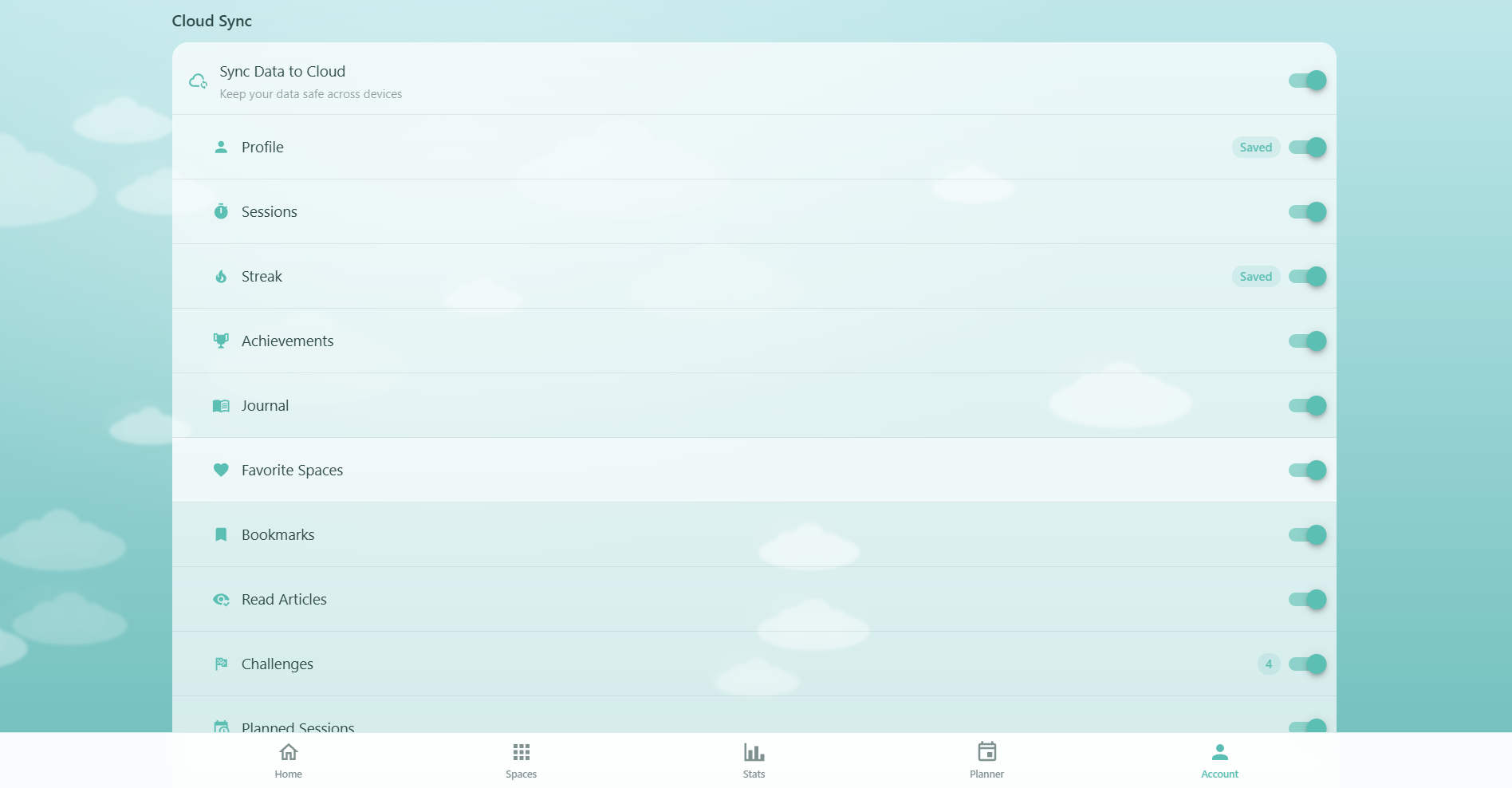
Every piece of your Respiro data syncs to the cloud across 10 categories:
- Profile: Your name, goals, experience level, onboarding completion, and preferences
- Sessions: Complete history of all breathing sessions with duration, template, space, and completion time
- Streaks: Current streak, longest streak, last practice date, and streak milestones
- Achievements: Progress toward all 29 achievements, unlock timestamps, and secret achievement discoveries
- Journal: Mood and energy ratings, personal notes, and session annotations
- Planner: All scheduled sessions, completed/skipped status, and recurring plans
- Challenges: Active challenge, progress, and completed challenge history
- Bookmarks: Saved articles with timestamps
- Favorites: Favorite breathing spaces with order and timestamps
- Read Articles: Which articles you've read and when
Your Pro subscription status also syncs separately, written by the server when your subscription is activated or renewed.
Getting Started
- Sign in: Create a free account or sign in with Google, Apple, or email on the Account page
- Automatic start: Cloud Sync activates immediately when you sign in — no extra setup needed
- Data migration: If you have existing local data, Respiro will offer to upload it to the cloud. You can migrate or start fresh
- Multi-device: Sign in on any other device with the same account and your data appears automatically
Sync Preferences
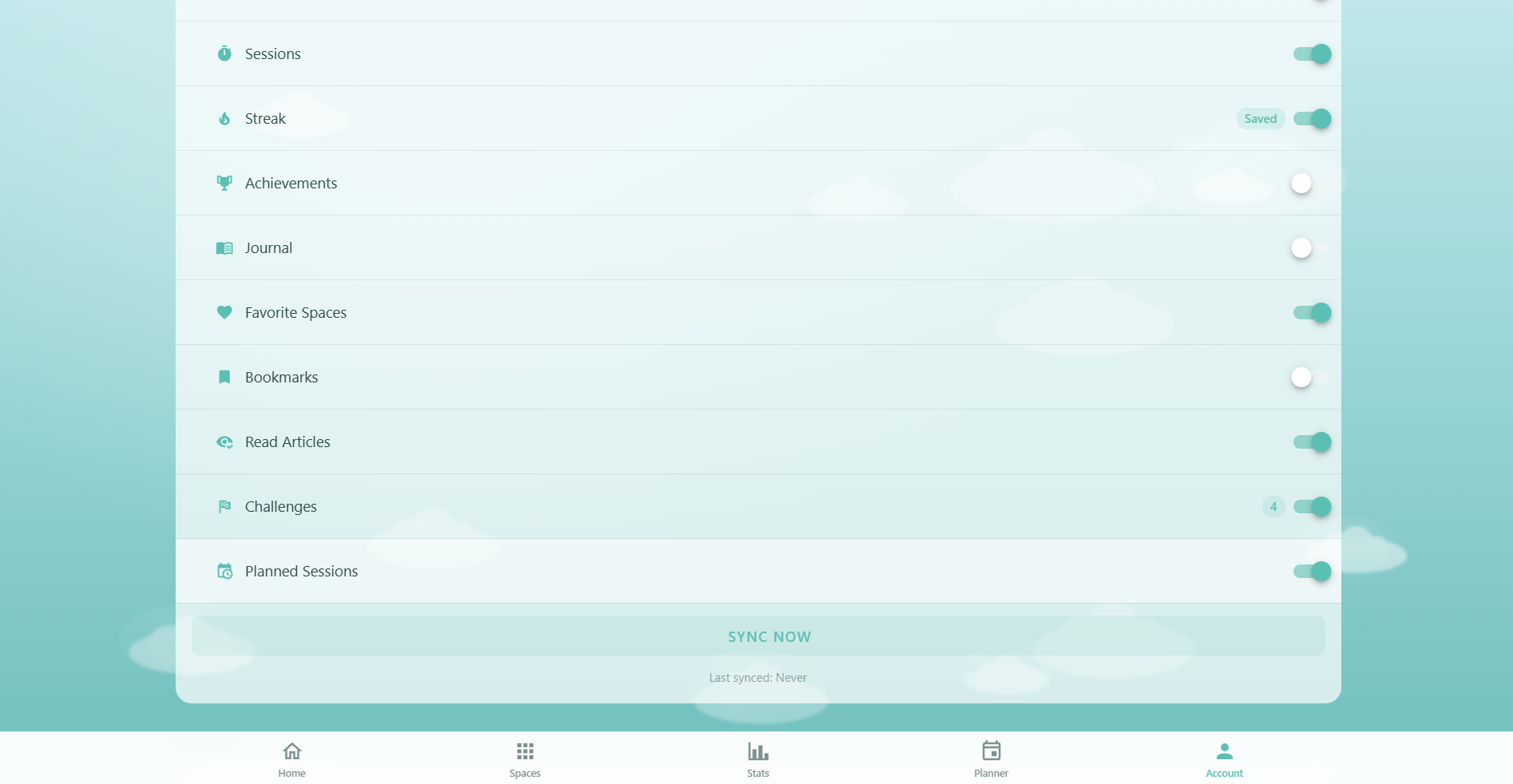
You have full control over what syncs to the cloud. The Account page provides:
- Master toggle: "Sync Data to Cloud" switch to enable or disable all cloud sync at once
- Per-category toggles: Individual switches for each of the 10 data categories. Each shows an icon, label, and the number of local items (e.g. "12 sessions")
- Sync Now button: Force an immediate sync of all enabled categories — bypasses the normal debounce timer and pushes local data to the cloud
- Last synced: Timestamp showing when the last successful sync occurred
Profile data always syncs when the master toggle is on — it cannot be individually disabled, since it's required for your account to function.
Smart Merge
When data exists on both your device and the cloud (e.g. you used Respiro on two devices before signing in), Respiro resolves conflicts automatically per category:
- Sessions: Merges by session ID — keeps all unique sessions from both sources, sorted by date, limited to the 500 most recent
- Streaks: Takes the higher value for current streak and longest streak
- Achievements: Takes the higher progress value and the earlier unlock timestamp — progress never goes backward
- Journal notes: Merges by session ID — when duplicates exist, keeps the more recently updated version
- Bookmarks & Favorites: Merges by slug/ID — when duplicates exist, keeps the earlier creation timestamp
- Planner: On first load, cloud replaces local completely. After that, merges by ID and prefers completed status
- Profile: Cloud overwrites local, but onboarding completion is protected — it can never revert from completed to incomplete
Data Migration
When you sign in for the first time and have existing local data, Respiro shows a migration dialog:
- Data summary: Shows the number of sessions, journal entries, achievements, and other data found on your device
- Migrate: Uploads all local data to the cloud in 10 steps (one per category) with a progress indicator
- Skip: Starts with a fresh cloud profile. Your local data remains on this device but won't sync
Migration is a one-time process. After initial setup, all subsequent syncing happens automatically in real time.
Sync Status
Respiro shows sync activity in several places:
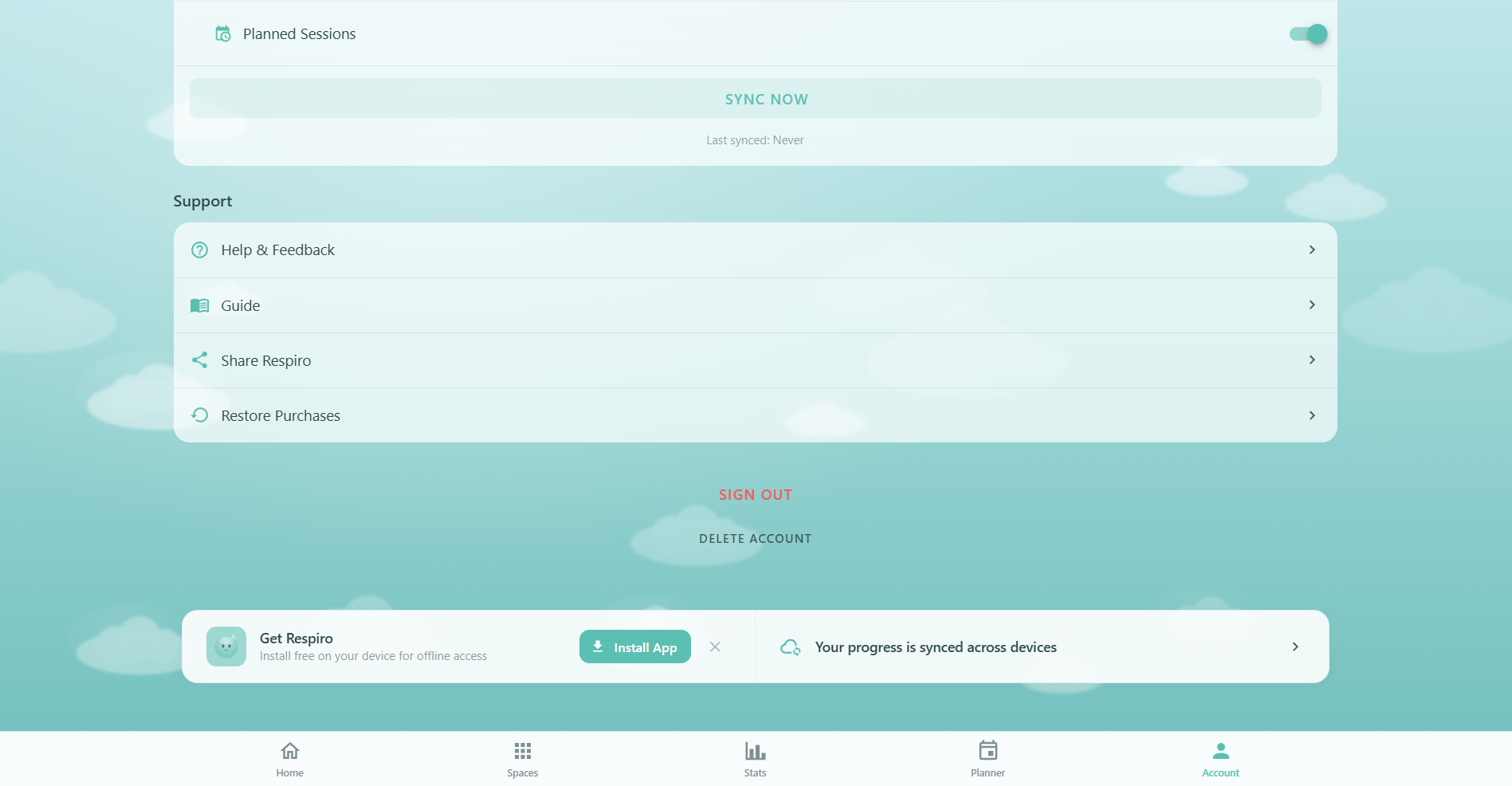
- Sync banner: A card at the bottom of the Achievements, Stats, and other pages shows "Your progress is synced across devices" with a data summary (e.g. "5 sessions · 28 achievements"). Tap it to go to sync settings
- Syncing indicator: When actively syncing, the banner shows "Syncing your data..." with an animated progress bar
- Account page: The Cloud Sync section shows the last sync time and a Sync Now button with loading state
Cross-Device & Cross-User Protection
Respiro includes safeguards to prevent data mixing between accounts:
- User ID check: When you sign in, Respiro checks if the stored user ID matches the current account. If a different user signs in on the same device, all local data from the previous user is cleared automatically
- Subscription cleanup: When you sign out, all real-time Firestore listeners are cleaned up to stop receiving updates
- Debounce protection: A 3-second debounce prevents sync loops — the same document won't be synced more than once every 3 seconds
Troubleshooting
If your data isn't syncing as expected:
- Check sign-in: Cloud Sync requires an active sign-in. Go to Account and verify you're signed in
- Check master toggle: Ensure "Sync Data to Cloud" is enabled in your account sync settings
- Check category toggles: Verify the specific data category you expect to sync is enabled
- Use Sync Now: Tap the "Sync Now" button to force an immediate upload of all local data
- Check connection: The app works offline but needs internet to sync. Changes will upload when connectivity returns
- Sign out and back in: This resets all listeners and re-initializes the sync from scratch
Privacy & Security
Your data is handled with care:
- Encrypted in transit: All data travels over HTTPS
- Encrypted at rest: Firestore encrypts stored data by default
- User-isolated: Firestore security rules ensure you can only access your own data at the path
users/{yourUserId}/ - Granular control: Disable sync entirely or for individual categories at any time
- No data sharing: Your breathing data is never sold or shared with third parties
- Right to delete: You can delete your account and all cloud data from the Account page
Free vs Pro
Cloud Sync is available to all users at no cost — there are no sync limits based on your plan:
- Free: Full cloud sync for all 10 data categories, real-time updates, smart merge, and sync preferences
- Pro: Same sync features. The only difference is that Pro users have more data to sync (unlimited session history, bookmarks, advanced analytics) — but the sync itself works identically